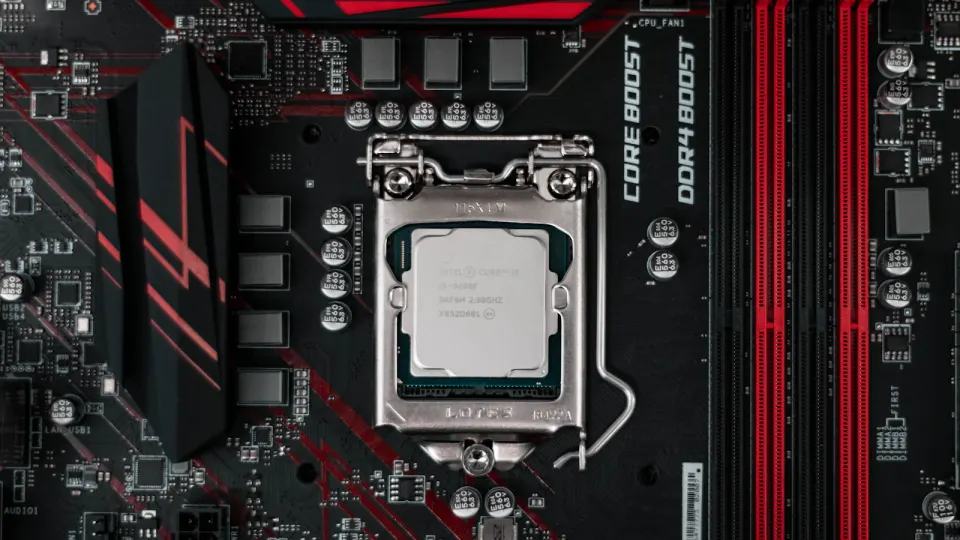
Bare metal vs servidor dedicado: qué significan los dos términos
Bare metal y servidor dedicado describen lo mismo: una máquina física, alquilada entera, sin hipervisor y sin ningún otro cliente en ella. La confusión no tiene que ver con el hardware. Tiene que ver con la época del vocabulario del hosting que usa un proveedor, y ese vocabulario suele anticipar cómo te venden la máquina: por ticket o por API, por meses o por horas. Esta guía explica de dónde viene cada término, expone las diferencias de modelo operativo que suele delatar la elección de palabras de un proveedor, te da cinco preguntas para hacer antes de pedir y trata el único caso en el que ninguno de los dos términos es lo que necesitas.
La respuesta corta
Bare metal y servidor dedicado significan el mismo objeto físico: un servidor, en un rack, alquilado a un cliente, con tu sistema operativo instalado directamente sobre el hardware y sin hipervisor entre tu kernel y la CPU. Si un proveedor te entrega una máquina con cualquiera de los dos nombres, deberías esperar las mismas tres garantías: root completo, discos físicos y ninguna carga de otro cliente en la máquina.
Lo que cambia no es el hardware. Es el modelo operativo que el término suele implicar, porque las dos palabras vienen de décadas distintas del sector del hosting y cada una arrastró sus propias suposiciones. La pregunta útil es para qué suposiciones construye su oferta un proveedor, no qué palabra aparece en la página de precios. Esa es la pregunta que responde el resto de esta guía.
De dónde vienen los dos términos
"Servidor dedicado" es el término más antiguo. Existe para distinguir una máquina que alquilas tú solo del hosting compartido, donde decenas o cientos de cuentas conviven en una máquina y se reparten sus recursos. En ese vocabulario, "dedicado" es la palabra que marca el contraste: dedicado a ti, no compartido. El término es anterior a la virtualización moderna y arrastra los hábitos operativos de esa época: un formulario de pedido, en algunos casos una cuota de alta, un técnico que monta la máquina en el rack o la reinstala a mano, y un contrato que se mide en meses.
"Bare metal" es más reciente y viene de la dirección contraria. Cuando la computación en la nube convirtió la "máquina virtual" en la unidad de cómputo por defecto, los proveedores necesitaron una palabra para la máquina física que hay debajo del hipervisor, y para las ofertas que prescindían del hipervisor por completo. "Bare metal" cubrió ese hueco: metal desnudo, sin nada virtualizado encima. Como el término nació dentro del vocabulario de la nube, llegó ya con suposiciones de la nube: una consola, una API, imágenes que despliegas en lugar de instalar, y una factura que puede medirse en horas.
Ninguno de los dos términos es más correcto. Describen la misma máquina desde dos puntos de partida: uno en contraste con el hosting compartido, otro en contraste con la virtualización. El roce aparece cuando un comprador espera las suposiciones de un término de un proveedor que todavía funciona según el otro.
Qué cambia: el modelo operativo, no el metal
La tabla siguiente no se refiere a ningún proveedor concreto. Es el patrón general: qué cambia, sobre un hardware por lo demás idéntico, cuando el modelo operativo de un proveedor se inclina hacia los hábitos antiguos del "servidor dedicado" o hacia los hábitos nuevos del "bare metal cloud".
| Servidor dedicado (tradicional) | Bare metal cloud | |
|---|---|---|
| Vía de aprovisionamiento | Formulario de pedido o ticket comercial, aprovisionado por un técnico | Consola de autoservicio o llamada a la API |
| Tiempo hasta el primer arranque | De horas a días, según la disponibilidad del personal | Minutos, una vez reservada la máquina |
| Granularidad de facturación | Contrato mensual o anual | De por horas a anual, mismo hardware |
| Captura de imagen y redespliegue | Reinstalación manual desde un medio de instalación | Capturar una máquina en marcha como imagen y redesplegarla en otra máquina |
| Acceso por API | Ninguno, o una API de tickets mínima para solicitudes de soporte | API de aprovisionamiento completa, claves que generas tú mismo |
| Duración del contrato | Plazo fijo, a menudo con preaviso de cancelación | Sin permanencia mínima; dejas de pagar y la máquina se recupera |
Ninguna de estas filas tiene que ver con la capacidad del hardware en sí. Un servidor dedicado vendido por ticket y un servidor bare metal aprovisionado por API pueden ser exactamente el mismo chasis, con la misma CPU y los mismos discos. La diferencia está por completo en cómo accedes a él, cómo te lo facturan y cuánta parte del ciclo de vida puedes controlar tú en lugar de esperar a que otra persona lo haga por ti.
Preguntas para un proveedor
En lugar de fiarte de la palabra que aparece en la página, pregunta directamente por el modelo operativo. Cinco preguntas hacen casi todo el trabajo:
- ¿Puedo aprovisionarla yo mismo o pasa por un ticket? Es la forma más rápida de saber de qué época del hosting es lo que estás comprando.
- ¿Qué es lo más rápido que puedo tener una máquina arrancada y accesible? "Minutos" y "te enviaremos un correo cuando esté lista" son productos distintos con el mismo nombre.
- ¿Puedo pagar por horas o estoy atado a un periodo mensual o anual? La facturación por uso es una consecuencia del aprovisionamiento automatizado, no un extra de marketing, así que la respuesta te dice cómo funciona el backend.
- ¿Puedo capturar una imagen de una máquina en marcha y redesplegarla en otro sitio? Esta es la función que separa "puedo reinstalar el sistema operativo" de "puedo mover mi servidor configurado a otro hardware con unos pocos clics".
- ¿Hay una API y puedo generar mis propias claves? Si la única automatización es un ticket de soporte, la consola es el techo del producto, no su suelo.
Si un proveedor responde a las cinco con "sí, autoservicio, minutos, por horas, y aquí tienes la API", estás ante un modelo operativo de bare metal cloud, diga lo que diga la página de pedido. Si la mayoría de las respuestas son "abre un ticket", estás ante una operación tradicional de servidores dedicados, que es una forma perfectamente válida de comprar una máquina, solo que más lenta y menos flexible.
Lo que no ha cambiado
Use el término que use un proveedor, las garantías físicas deberían ser idénticas: ningún hipervisor entre tu sistema operativo y la CPU, ningún otro cliente asignado a los mismos núcleos, acceso root completo a la máquina, y discos físicos en lugar de un volumen de red que hace las veces de almacenamiento. Esos cuatro hechos son los que convierten a un servidor en "bare metal" o "dedicado", y se mantienen sin importar lo rápido que sea el aprovisionamiento ni cómo te facturen.
Dónde importan esas garantías, y cómo se comparan en la práctica con una instancia virtualizada, es un argumento más largo del que este artículo necesita repetir. Lo tratamos a fondo en nuestra página de bare metal, incluidas las contrapartidas concretas frente a una VM en la nube.
Cuándo encaja mejor una instancia virtual
Ninguno de los dos términos es la compra adecuada para todas las cargas. Una máquina física, la llames como la llames, no cambia de tamaño sola a las tres de la madrugada, y pagas la máquina entera tanto si usas el diez por ciento como el noventa. Las cargas con picos, de vida corta o que necesitan escalar hacia arriba y hacia abajo varias veces al día encajan mejor en una instancia virtual que arranca en minutos y desaparece cuando termina el trabajo. Si tu patrón de tráfico es así, nuestras instancias cloud encajan mejor, en la misma red que nuestra flota bare metal.
Cómo lo llama Serverside.com
Vendemos una máquina con los dos nombres, porque en ambos casos es el mismo hardware. El aprovisionamiento pasa por una consola de autoservicio y una clave de API que emites tú mismo, las imágenes cloud-init se despliegan en menos de un minuto en las configuraciones en stock, las ISO personalizadas e iPXE cubren todo lo que queda fuera del catálogo, y puedes capturar una imagen de un servidor en marcha y redesplegarla en otra máquina. La facturación va de por horas a anual, con un 5 % de descuento en periodos trimestrales, un 10 % en semestrales y un 15 % en anuales, sobre la misma configuración todo el tiempo. La mitigación DDoS en línea funciona por defecto en todos los servidores, en nuestra propia red AS55285. Esa combinación es lo que queremos decir cuando llamamos al producto bare metal cloud; las mismas máquinas aparecen también con sus configuraciones y precios completos si ya sabes lo que vas a pedir. El dimensionamiento de la propia máquina, al margen del proceso de compra, lo tratamos aparte en nuestra guía de dimensionamiento de servidores.
FAQ
¿Es lo mismo bare metal que un servidor dedicado?
Sí, en cuanto al hardware. Ambos términos significan una máquina física, alquilada entera, con tu sistema operativo directamente sobre el hierro y ningún otro cliente compartiéndola. Las palabras se separan en lo que dan a entender sobre cómo la compras: "servidor dedicado" suele indicar un contrato y un ticket de soporte, "bare metal" suele indicar una consola o una API y una factura que puedes cortar.
¿Es bare metal más rápido que una VM?
No hay hipervisor entre tu kernel y la CPU, así que no compartes núcleos, ancho de banda de memoria ni cola de almacenamiento con otro cliente. Que eso se note como "más rápido" depende de la carga: una VM single-tenant bien configurada, en hardware que controlas, se acerca en trabajo limitado por CPU, mientras que las cargas sensibles a la latencia en el peor caso (bases de datos, servicios en tiempo real) muestran la diferencia con más claridad, porque no hay ningún planificador que decida cuándo se ejecutan tus instrucciones.
¿Se puede facturar bare metal por horas?
Depende del proveedor. Los proveedores con aprovisionamiento al estilo cloud, consolas de autoservicio y API suelen ofrecer facturación por horas junto a periodos mensuales y anuales, porque la máquina se aprovisiona y se recupera igual sea cual sea el periodo de facturación. Los que siguen tramitando pedidos por ticket suelen ofrecer solo contratos mensuales o anuales, porque facturar por horas solo tiene sentido cuando el propio aprovisionamiento tarda minutos y no la tarde entera de un técnico.
¿Es bare metal cloud algo real o marketing?
Es un modelo real y concreto, no un sinónimo de hosting físico en general. "Bare metal cloud" significa máquinas físicas single-tenant aprovisionadas desde una consola de autoservicio o una API, facturadas según el uso, con las comodidades operativas (captura de imágenes, redespliegue, acceso a consola bajo demanda) que los usuarios de cloud esperan pero que antes exigían virtualización. Un proveedor que todavía tramita pedidos por ticket y solo factura por meses vende un servidor dedicado; que además cuente como bare metal cloud depende de si ha construido ese modelo operativo, no solo de si ha adoptado la expresión.



 canadiense y
  neerlandés

