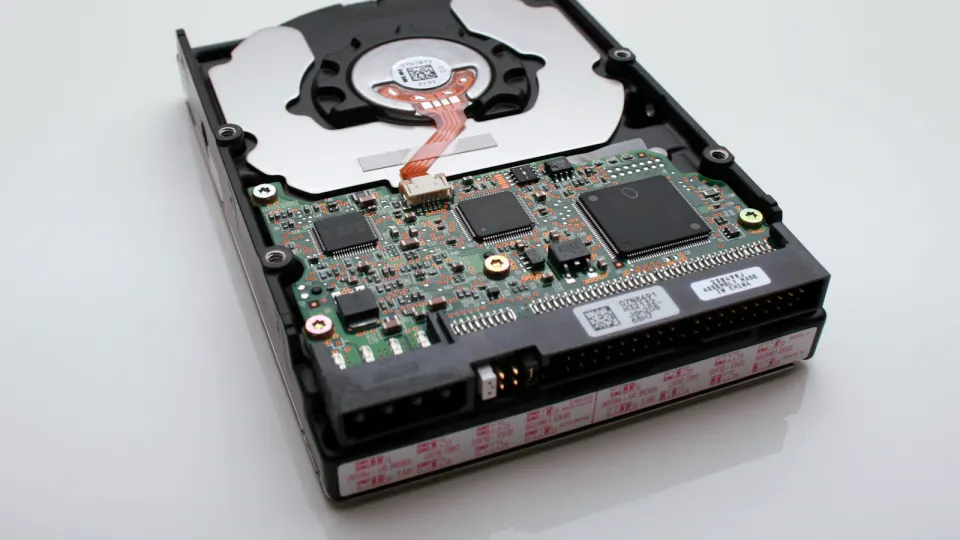
Niveles RAID para servidores dedicados: 0, 1, 5, 10 y ZFS explicados
El RAID decide dos cosas sobre tu servidor incluso antes de que arranque por primera vez: cuánto del almacenamiento que pagas es realmente utilizable, y qué ocurre en el momento en que un disco falla. Ninguna de las dos decisiones es reversible sin reconstruir el array, así que merece la pena acertar desde el pedido. Esta guía explica los cuatro niveles que importan en la práctica (0, 1, 5 y 10), además del enfoque de ZFS sobre las mismas ideas, con indicaciones honestas sobre el riesgo de reconstrucción, contra qué no protege el RAID, y qué nivel encaja con qué carga de trabajo.
La respuesta primero
Para los impacientes, las opciones por defecto que funcionan bien para la mayoría de las cargas de trabajo:
- ¿Dos discos? RAID 1 (mirror). La mitad de la capacidad bruta, sobrevive al fallo de un disco, fácil de entender. La respuesta correcta para casi todos los servidores de dos discos.
- ¿Cuatro discos o más, con bases de datos o VM? RAID 10. La mitad de la capacidad, un rendimiento excelente en escritura aleatoria, reconstrucciones rápidas y sin sobresaltos.
- ¿Cuatro discos o más, con hambre de capacidad y de predominio lector (medios, copias de copias de seguridad, archivos)? RAID 5 te da el máximo espacio utilizable con protección ante el fallo de un disco, con matices sobre las reconstrucciones en discos grandes que se tratan con honestidad más abajo.
- RAID 0, solo para datos cuya pérdida instantánea puedes permitirte: espacio scratch, cachés, artefactos de build reproducibles.
- ZFS es menos un quinto nivel que una filosofía distinta (checksums, autorreparación, snapshots), que merece la pena elegir cuando vas a usar esas funciones y puedes alimentar su apetito de RAM.
Y la frase que debería tatuarse en cada decisión de almacenamiento: el RAID es disponibilidad, no copia de seguridad. Mantiene el servidor funcionando durante el fallo de un disco; replica las eliminaciones, el ransomware y la corrupción con la misma fidelidad que tus datos.
Qué hace realmente el RAID
El RAID (Redundant Array of Independent Disks) combina discos físicos en un único volumen lógico, sopesando capacidad, rendimiento y redundancia entre sí. Tres mecanismos sustentan cada nivel:
- Striping: los datos se reparten entre los discos, de modo que las lecturas y escrituras implican a varios discos a la vez (más velocidad, ninguna protección).
- Mirroring: cada bloque se escribe en dos discos (protección total, la mitad de la capacidad).
- Parity: se calcula sobre el stripe una redundancia equivalente a un disco, de modo que cualquier disco que falte puede reconstruirse (la mayor capacidad, el modo de fallo más ingenioso, y la letra pequeña más extensa).
Cada nivel usado en la práctica es uno de estos o una combinación:
| Level | Min drives | Usable capacity | Survives | Read perf | Write perf | Rebuild burden |
|---|---|---|---|---|---|---|
| RAID 0 (stripe) | 2 | 100 % | Nada: cualquier disco perdido = todos los datos perdidos | Excelente | Excelente | n/a |
| RAID 1 (mirror) | 2 | Capacidad de 1 disco | N−1 discos (por mirror) | Buena (lee de ambos) | Un disco | Ligera: copia directa |
| RAID 5 (parity) | 3 | (N−1)/N | Un solo disco, cualquiera | Muy buena | Buena en secuencial, más débil en aleatorio (actualización de paridad) | Alta: lee todos los discos |
| RAID 10 (mirror+stripe) | 4 | 50 % | Uno por pareja de mirror | Excelente | Muy buena | Ligera: copia un solo mirror |
(La columna de capacidad utilizable es exactamente el cálculo que muestra nuestro configurador cuando eliges una variante RAID al hacer el pedido: RAID 1 da la capacidad de un disco, RAID 5 da todo menos uno, RAID 10 da la mitad; nuestra calculadora RAID ejecuta las mismas cuentas para cualquier número y tamaño de discos, tanto en TB como en TiB.)
Los niveles, con honestidad
RAID 0: velocidad sin cinturón de seguridad
Todo striping, ninguna redundancia: la capacidad y el caudal de todos los discos combinados, y también la probabilidad de fallo combinada: la muerte de un solo disco se lleva por delante todo el volumen. Eso no es un caso extremo raro; a lo largo de un alquiler de varios años es el suceso esperado. Los usos legítimos son exactamente aquellos en los que la pérdida te cuesta una repetición y no datos: scratch de CI, resultados intermedios de render, cachés efímeras. Si la frase "ya restauramos desde la copia de seguridad" hace que alguien en tu empresa se estremezca, RAID 0 no es para ese conjunto de datos.
RAID 1: el héroe aburrido
Dos discos, contenido idéntico. Pierdes la mitad de tu capacidad y ganas el escenario de fallo más simple posible: un disco muere, el servidor ni se inmuta, cambias el disco, el mirror se vuelve a copiar. Las reconstrucciones son suaves (una copia lineal desde el disco sano) y, una virtud infravalorada, un único disco superviviente es una copia completa y legible de tus datos, no una pieza de puzle. Para discos de sistema operativo y cualquier servidor de dos discos, esta es la opción por defecto, y con razón.
RAID 5: capacidad máxima, la letra pequeña más afilada
Con N discos conservas (N−1)/N del espacio y sobrevives a cualquier fallo individual, sobre el papel la mejor oferta de la tabla. La letra pequeña está en lo que ocurre después de un fallo:
- Las reconstrucciones leen cada byte de cada disco superviviente. En los discos grandes de hoy eso es una ventana larga, a menudo de muchas horas a días en HDD grandes (mucho más corta en NVMe), durante la cual el array tiene cero redundancia y cada disco restante soporta una carga máxima y sostenida. Un segundo fallo, o un sector ilegible descubierto a mitad de la reconstrucción en un disco envejecido, acaba con la historia. Este riesgo crece con el tamaño del disco, por lo que la reputación de RAID 5 ha envejecido junto con los terabytes.
- Cada escritura pequeña paga un impuesto de paridad (leer los datos antiguos, leer la paridad antigua, calcular, escribir ambos), por lo que las cargas con muchas escrituras aleatorias (bases de datos, almacenamiento de VM muy ocupado) notan RAID 5 más de lo que sugieren los benchmarks de caudal secuencial.
Dónde sigue mereciendo su lugar: cargas de predominio lector orientadas a la capacidad en discos de tamaño moderado (o NVMe de reconstrucción rápida), con una monitorización que realmente avisa ante el primer fallo y, como siempre, copias de seguridad de verdad. Si te tienta RAID 5 en discos muy grandes, ese es el momento de considerar la doble paridad (RAID 6 / ZFS raidz2, donde esté disponible) o de reconsiderar RAID 10.
RAID 10: lo que quieren las bases de datos
Parejas en mirror, combinadas con striping. Pagas el impuesto del 50 % de capacidad del mirror y obtienes el mejor perfil operativo del grupo: I/O aleatoria potente (sin cálculo de paridad), los fallos degradan solo una pareja, y las reconstrucciones copian un único mirror en lugar de sobrecargar todo el array. Para bases de datos, hosts de virtualización, y todo lo que tenga mucha escritura donde el rendimiento predecible durante los fallos importa, RAID 10 es la opción profesional por defecto. Cuatro discos a mitad de capacidad son el precio de no vivir nunca una reconstrucción interesante.
ZFS: las mismas preguntas, otra filosofía
ZFS combina la gestión de volúmenes y el sistema de archivos, y sus equivalentes, los mirrors (≈RAID 1/10) y raidz1/raidz2 (≈RAID 5/6), añaden lo que al RAID convencional le falta de forma fundamental: checksums de extremo a extremo. El RAID clásico confía en que los discos informen de sus propios fallos; ZFS verifica cada bloque al leer y, en una disposición redundante, repara en silencio la corrupción a partir de la copia buena ("autorreparación"). Además: snapshots que hacen que volver a un punto en el tiempo sea prácticamente gratis, zfs send/receive para una replicación eficiente, y compresión transparente que a menudo se paga sola.
Los costes, igual de honestos: ZFS quiere RAM (una base de unos pocos GB, más para caché; su ARC usará encantado todo lo que le des), añade carga conceptual (pools, vdevs, datasets), y sus variantes con paridad comparten las características de escritura de RAID 5/6. Reglas prácticas: mirrors para VM y bases de datos, raidz2 para capacidad masiva, y esta es precisamente la capa de almacenamiento que Proxmox VE ofrece de forma nativa, por lo que la elección surge ya en la instalación del hipervisor (consulta nuestra guía de instalación de Proxmox).
¿RAID por hardware, mdadm o ZFS?
El nivel es una decisión; con qué se implementa es otra, con consecuencias reales a las 3 de la madrugada:
- Las controladoras RAID por hardware presentan el array al sistema operativo como un único disco opaco. Ventaja: independiente del SO, sencillo de arrancar, caché de escritura diferida con respaldo de batería o flash. Desventaja: el formato del array es el secreto de la controladora (la recuperación o migración normalmente requiere hardware compatible) y la monitorización depende de herramientas del fabricante que tienes que configurar tú mismo.
- Linux mdadm (RAID por software) es transparente y portable: cualquier máquina Linux puede montar el array,
cat /proc/mdstatdice la verdad, y no hay ninguna capa propietaria entre tú y tus datos. Las CPU modernas dejan el argumento de rendimiento a favor del RAID por hardware casi como una cuestión histórica (el cálculo de paridad es un error de redondeo frente al caudal del NVMe). - ZFS: como antes, cuando sus funciones justifican su sobrecoste.
El resumen honesto: en servidores NVMe modernos, el RAID por software (mdadm o ZFS) es la recomendación por defecto por transparencia y portabilidad; el RAID por hardware sigue siendo sensato donde el soporte del sistema operativo, las restricciones de arranque, o una práctica operativa ya existente lo favorecen.
Elegir según la carga de trabajo
| Workload | Pick | Why |
|---|---|---|
| SO / servidor general de dos discos | RAID 1 | Sencillez, fallo con copia completa |
| Bases de datos, hosts de VM | RAID 10 (o mirrors ZFS) | Rendimiento en escritura aleatoria, reconstrucciones suaves |
| Medios, archivos, destinos de copia de seguridad | RAID 5 / raidz2 | Eficiencia de capacidad donde la escritura es masiva y la lectura domina |
| Scratch, cachés, CI | RAID 0 | La pérdida es solo repetir, la velocidad es lo importante |
| "Quiero snapshots/checksums" | Variante ZFS de lo anterior | Funciones de integridad sobre la misma geometría |
Dos disciplinas finales, elijas lo que elijas. Monitoriza el array. El modo de fallo del RAID es la degradación silenciosa: el primer disco muere, no ocurre nada visible para el usuario, y el array sigue funcionando sin protección hasta que alguien se da cuenta (conecta las alertas de mdadm, SMART o controladora con una persona). Y haz copias de seguridad. El RAID responde a "un disco ha muerto"; las copias de seguridad responden a todo lo demás, desde rm -rf hasta el ransomware o el propio fallo del array. Dimensiona el plan de copias de seguridad con la misma seriedad que el array (nuestra guía de estrategias de copia de seguridad de Proxmox cubre el caso de la virtualización).
Preguntas frecuentes
¿Es el RAID un sustituto de las copias de seguridad?
No, y merece la pena precisar por qué: la función del RAID es la disponibilidad: el servidor sigue funcionando cuando falla un disco. Cualquier otro tipo de pérdida de datos lo atraviesa sin obstáculos: las eliminaciones, los errores de aplicación, el ransomware y la corrupción del sistema de archivos se replican en todos los discos en cuestión de milisegundos, y un fallo del controlador o la muerte de un segundo disco puede llevarse el array entero. Las copias de seguridad son una copia en otro lugar con historial; el RAID es redundancia in situ. Los datos de producción quieren ambas cosas.
¿RAID 5 o RAID 10?
Decídelo según dos ejes: el patrón de escritura y la tolerancia a la reconstrucción. Muchas escrituras aleatorias (bases de datos, almacenamiento de VM) o poco apetito por ventanas degradadas largas → RAID 10. Capacidad masiva de predominio lector, donde el espacio utilizable extra importa y los discos son de tamaño moderado o NVMe de reconstrucción rápida → RAID 5 es defendible. Si se trata de RAID 5 en discos muy grandes, considera la paridad doble (RAID 6/raidz2) como la alternativa seria: la ventana de reconstrucción con paridad simple en discos grandes es el riesgo más agudo de este artículo.
¿Los discos NVMe rápidos siguen necesitando RAID?
Para redundancia, sí. El NVMe cambia el rendimiento, no la mortalidad. La memoria flash falla de forma distinta a los discos giratorios (errores de firmware, muerte del controlador, desgaste), pero falla igualmente, y sin redundancia un fallo significa restaurar desde la copia de seguridad con el tiempo de inactividad correspondiente. Lo que el NVMe sí cambia son los compromisos: las reconstrucciones se completan en horas en lugar de días (lo que suaviza el mayor inconveniente de RAID 5) y el coste de CPU de la paridad es insignificante, aunque los mirrors siguen siendo la opción de latencia más predecible.
¿Puedo cambiar de nivel RAID más adelante?
Para efectos de planificación, da por hecho que la respuesta es "no". Algunas migraciones son técnicamente posibles (mdadm puede transformar entre ciertos niveles; ZFS añadió recientemente la expansión de raidz), pero son operaciones lentas y arriesgadas sobre datos en producción, justo lo que no quieres. El camino realista es el que funciona en cualquier caso: aprovisionar la nueva disposición, restaurar desde la copia de seguridad, hacer el cambio. Lo cual es un buen argumento para dedicar cinco minutos a la aritmética de capacidad antes de pedir.
Desplegar en Serverside.com
Nuestro configurador de servidores dedicados hace esta decisión concreta: elige una variante RAID al hacer el pedido y te muestra la capacidad utilizable para tu número exacto de discos (la misma aritmética que la tabla de arriba), con el array entregado ya construido, así que no hay nada que montar el primer día. Las opciones NVMe mantienen cortas las ventanas de reconstrucción, y si estás dimensionando discos y todo lo demás a su alrededor, nuestra guía de dimensionamiento de servidores encaja de forma natural con esta.
Lecturas relacionadas: estrategias de copia de seguridad de Proxmox para la mitad de la historia sobre "el RAID no es una copia de seguridad", y la checklist de hardening de la primera hora para todo lo que viene después de la decisión de almacenamiento.




 canadiense y
  neerlandés

