
AS55285

Our own autonomous system

7

Network metros

6

Internet exchanges

9

Network facilities

IPv4 + IPv6

Dual-stack network

Open

Peering policy

Our own network, end to end

AS55285 is the autonomous system Serverside.com operates end to end. We don't resell capacity on someone else's network: we hold our own ASN, register our own routes, and set our own peering policy. That gives us direct control over routing decisions, direct peering relationships with the networks our traffic touches, and one team accountable when something at the network layer needs attention, rather than a support ticket relayed to an upstream provider.

Everything on this page is independently checkable. Our ASN, IRR AS-SET, and peering records are public on PeeringDB and bgp.tools, and our looking glass runs live ping, traceroute, and BGP lookups from five of the seven metros we deploy servers in. You can test a path from where you sit before you order a server, not after.

Points of presence

Seven network metros across North America and Europe, with dedicated servers available in all seven.

MetroFacilitiesLooking glass
NL
AmsterdamNetherlands
Digital Realty AMS3NikhefAMS3
US
ChicagoUnited States
Netrality CH1Digital Realty ORD10CH1
US
DallasUnited States
DataBank DFW1DFW1
US
Los AngelesUnited States
Digital Realty LAX10LAX10
US
New JerseyUnited States
Digital Realty EWR20EWR20
DE
FrankfurtGermany
Equinix FR5—
GB
LondonUnited Kingdom
Telehouse West—
CA
TorontoCanada
Digital Realty TOR1Coming soon—
AU
SydneyAustralia
Equinix SYD5Coming soon—

What powers our network

Included with every dedicated server on AS55285 by default, not sold as a separate add-on.

Redundant, blended transit

Servers connect through dual uplinks on diverse paths through our fabric, blended with multiple transit providers, so a single failed link or session does not take a server offline by itself.

Settlement-free peering, open policy

We peer at 6 internet exchanges in Amsterdam under an open policy registered on PeeringDB, keeping more traffic on direct paths instead of routed through a third party.

Always-on DDoS protection

Mitigation runs inline at the network edge on every server by default. There is nothing to buy separately and nothing to switch on before you go live.

How the filter works

IPv6, dual-stack by default

Every server ships with IPv4 and IPv6 enabled together, so IPv6 is not a request you file or a feature you pay extra for.

BGP sessions & BYOIP

Run your own routing: we support BGP sessions for customers who want to announce their own IP space through our network instead of using address space we assign.

Private networking

Connect your own servers to each other over our internal network instead of the public internet, keeping database replication and node-to-node traffic off a public interface. A private network can extend between our datacenters.

How private networks work

24/7 monitoring & NOC

Our network operations team watches routing and connectivity around the clock, not just during business hours.

A growing global footprint

Seven network metros across North America and Europe today, with additional points of presence on the way.

DDoS protection

Every server on AS55285 includes DDoS mitigation at the network edge. It is part of the network layer, not a separate product line: there is nothing to add to a cart and nothing to switch on after the server is already live.

Mitigation sits inline, in front of the server, filtering attack traffic before it reaches the host. Legitimate traffic keeps flowing without you having to repoint DNS or stand up a separate scrubbing endpoint. Every metro has its own Corero NTD1100 appliance in the path, so an attack is dropped in the metro it lands in.

Because the filter is already in the path there is no redirect to wait for: attack traffic is dropped in under a second.

Because protection is built into the network rather than layered on afterward, it covers a server from the moment it's provisioned, including during OS installs and first boot.

  • In short
  • Included on every server automatically, no opt-in or add-on fee
  • Filtering happens inline at every location, ahead of your host
  • Attack traffic dropped in under a second, with no redirect
  • No DNS change, proxy, or separate scrubbing endpoint required
Redundancy & routing

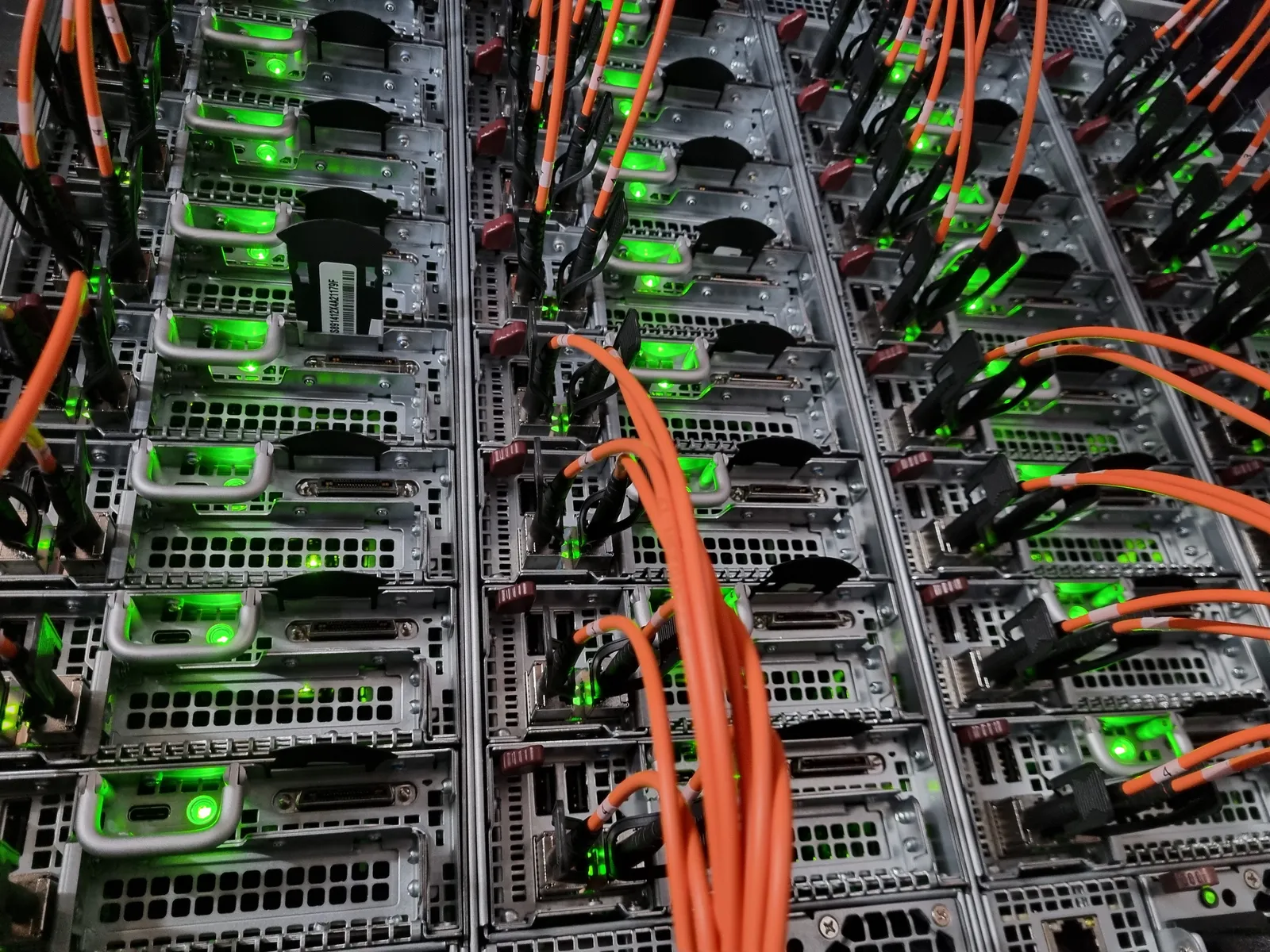
Servers connect through dual uplinks, each landing on a different switch, so one failed link or interface does not take a server offline on its own.

From there, traffic crosses diverse paths through our network fabric rather than a single chokepoint. We reach the rest of the internet through a blend of transit providers and settlement-free peering, so no single upstream is the only way to reach a given destination. Every one of those transit uplinks is a 100 Gbit/s port or faster.

When a path fails, whether an uplink, a fabric link, or an upstream session, routing reconverges onto the next available path automatically.

  • In short
  • Dual uplinks on separate switches
  • Diverse paths across the network fabric
  • Blended transit plus settlement-free peering, on 100 Gbit/s+ uplinks
  • Automatic reconvergence onto another path on failure

IP addressing, BGP & IPv6

Every server ships dual-stacked, with IPv4 and IPv6 enabled together by default, so IPv6 is not a separate request or a paid add-on.

If you run your own routing, we support BGP sessions with customers who want to announce their own IP space through our network (BYOIP) instead of using address space we assign.

What we announce is registered, not just claimed: our IRR AS-SET, AS55285:AS-ALL, lists the prefixes we originate, checkable against the same public IRR and PeeringDB records any route-server lookup would use.

  • In short
  • Dual-stack IPv4 + IPv6 on every server by default
  • BGP sessions available for customers announcing their own IP space
  • Routes registered under AS55285:AS-ALL in the IRR

Private networks between datacenters

A private network is a layer 2 network between your own dedicated servers, carried inside our network instead of across the public internet, so traffic between them stays off their public interfaces. Its VLAN can be extended to your servers in our other datacenters, which lets a web cluster answer visitors in two metros and keep its sessions and cache in step over one private network. Database and Proxmox clusters stay inside a single datacenter.

Jumbo frames at 9000 MTU are supported, you pick the VLAN tag, and you manage the network from the cloud console or by API. Private networks and their extension between datacenters are available at no cost.

Firewall groups cover the public side. A firewall group is a named set of allow and block rules, by protocol, port range and source network, that you apply to any number of your public IP addresses, also at no cost. The rules run on the access switch each server plugs into, so traffic a rule blocks is dropped before it reaches the server's port. They are stateless and filter inbound traffic only, and traffic that matches no rule is allowed, so a host firewall still does the stateful filtering. Firewall groups do not filter traffic on a private network.

How private networks and firewall groups work
  • In short
  • Layer 2 between your own servers, off their public interfaces
  • One VLAN extended across our datacenters
  • Jumbo frames at 9000 MTU, console or API management, no cost
  • Firewall groups on our access switches for your public addresses

Test it before you buy

Our public looking glass runs ping, traceroute, and BGP lookups from five of our seven server metros (Amsterdam, Chicago, Dallas, Los Angeles and New Jersey), so you can check latency and path from where you sit before ordering a server.

Each of those five links straight to its looking-glass location from the footprint table above, or open the looking glass and pick one yourself.

Network FAQ

Something not covered? Ask the network team directly.

AS55285 is the autonomous system Serverside.com operates to connect its dedicated servers to the internet. It's registered on PeeringDB as a network service provider (NSP) with an open peering policy, and every server we provision uses it by default.


Getting Started illustration

Discover the Serverside.com difference

Cloud flexibility without the costs, on hardware that is yours alone, in the locations your users actually are.

100% uptime SLA (5% credit per hour of downtime we cause) · 24/7/365 support